> For the complete documentation index, see [llms.txt](https://help.datamidsouth.org/llms.txt). Markdown versions of documentation pages are available by appending `.md` to page URLs; this page is available as [Markdown](https://help.datamidsouth.org/data-midsouth-portal/features/data-asset-page.md).
# Data asset page
Understand everything about a dataset — what it contains, where it came from, and what you can do with it — before you download or explore anything.
When you click on an asset in the catalog, you land on its asset page.
This is where you find the **full picture**: a description of what the data contains, its metadata, download options, and tools for exploring it directly in the browser.
**Here's a walkthrough of each section** using the Bike Facilities Existing and Programmed – City of Memphis dataset as an example.
***
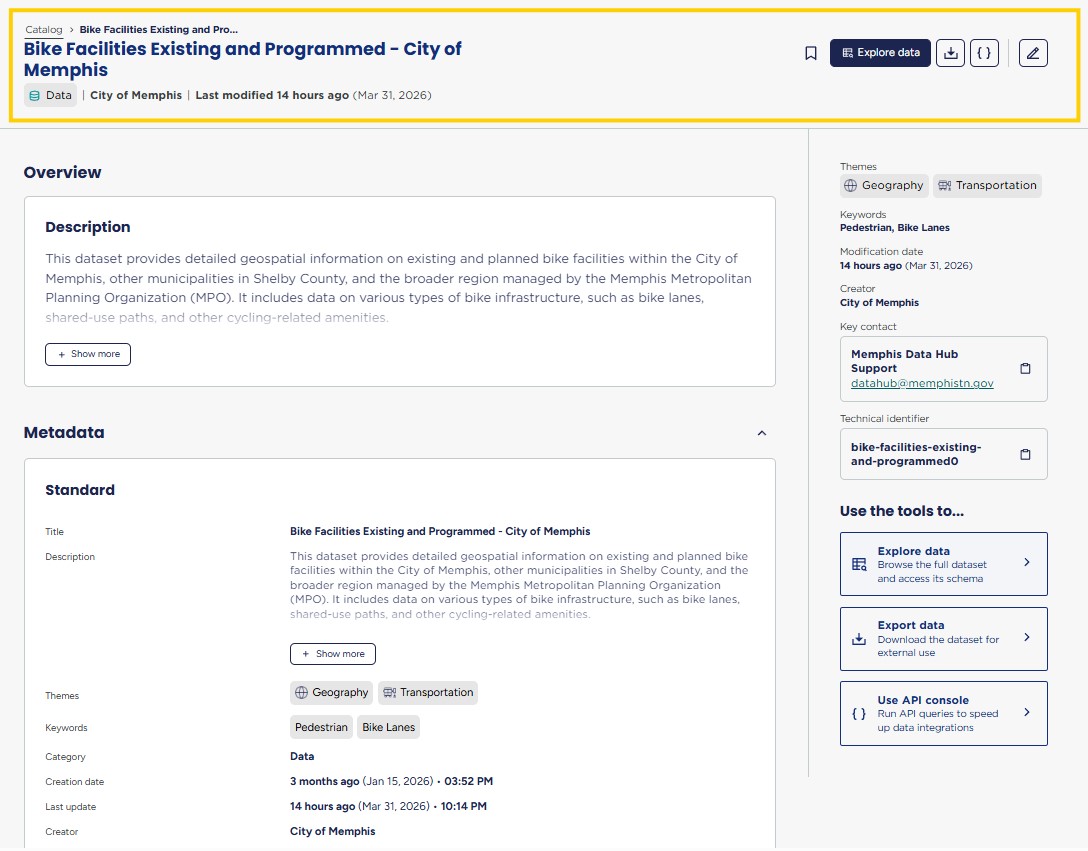
### The header
At the top of the page you'll see the asset title, its category badge (in this case, **Data**), the creator (**City of Memphis**), and when it was last modified (**March 31, 2026**).
{% hint style="info" %}
**That last modified date is the first thing to check if you're using this data for anything time-sensitive.**
{% endhint %}
In the **top-right corner**, four **action buttons** let you....
* bookmark the asset (if you have a registered DMS account)
* explore the data
* export it
* access the API console
* edit metadata (if you have the appropriate permissions)
#### The **action button language** and **destination** depend on the type of asset.
{% columns %}
{% column width="33.33333333333333%" %}
### Raw Data
Opens a data table preview
{% endcolumn %}
{% column width="33.33333333333333%" %}
### Visualizations
Opens an external data resource, usually a map or dashboard
{% endcolumn %}
{% column width="33.33333333333333%" %}
### Reports
Opens a downloadable document, typically a PDF, with narrative analysis, charts, and findings.
{% endcolumn %}
{% endcolumns %}
***
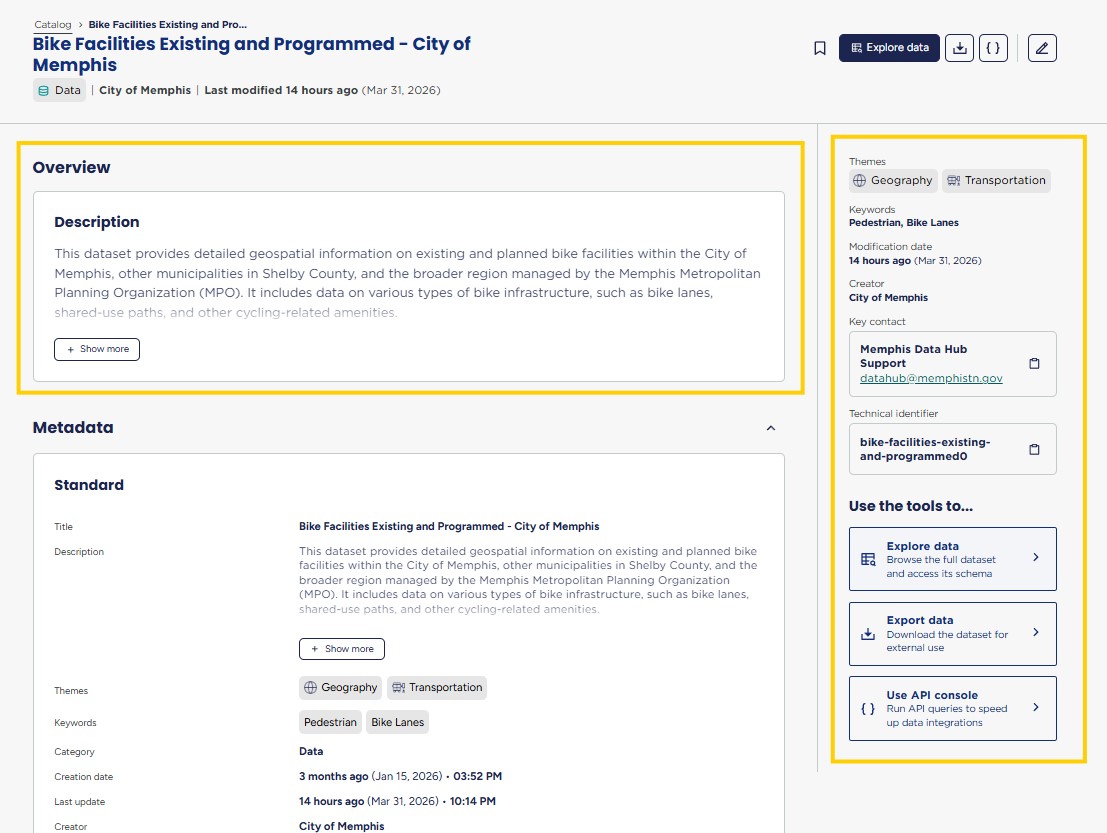
### Overview
The Overview section contains two things: the **Description** and the **Metadata panel**.
The description tells you in plain language **what the dataset contains** and **who it's** intended **for**.
The metadata panel on the right sidebar shows:
* **Themes** — Geography, Transportation
* **Keywords** — Pedestrian, Bike Lanes
* **Modification date** — March 31, 2026
* **Creator** — City of Memphis
* **Key contact** — Memphis Data Hub Support ()
* **Technical identifier** — the dataset's unique ID in the portal
Also in the sidebar, three **Use the tools** shortcuts let you jump directly to **Explore data, Export data, or the API console.**
***
### Metadata
On each Data Asset Page, you'll see detailed reference information prepared by the Data Midsouth team called **Metadata**.
This section includes attributes like:
* Who publishes the asset
* When it was created and last updated
* Years available
* Download formats
* **Data quality & limitation notes**
* Related reports
{% hint style="info" %}
Read the metadata carefully — it tells you whether this is the data you're actually looking for, and flags any known limitations or coverage gaps.
{% endhint %}
***
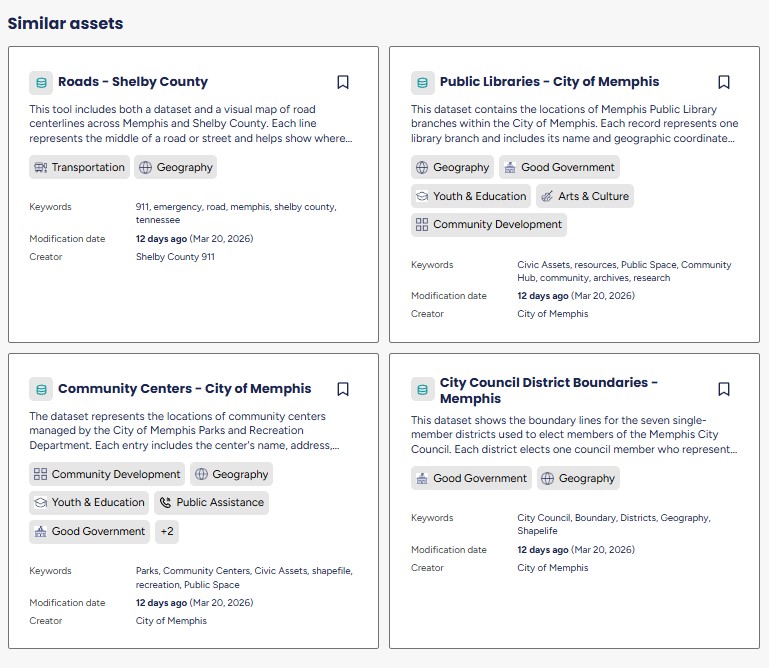
### **Similar assets**
At the bottom of the page, the portal surfaces **related assets** you might also find useful.
These are **automatically generated** based on shared themes and keywords, and are a useful way to discover related data without going back to search.
***
### **Previews**
Visualizations and Mega Data data asset pages include a Previews section that allow you to decide whether the asset meets your needs before you leave the site to explore it.
---
# Agent Instructions
This documentation is published with GitBook. GitBook is the documentation platform designed so that both humans and AI agents can read, navigate, and reason over technical content effectively. Learn more at gitbook.com.
## Querying This Documentation
If you need additional information that is not directly available in this page, you can query the documentation dynamically by asking a question.
Perform an HTTP GET request on the current page URL with the `ask` query parameter, and the optional `goal` query parameter:
```
GET https://help.datamidsouth.org/data-midsouth-portal/features/data-asset-page.md?ask=&goal=
```
`ask` is the immediate question: it should be specific, self-contained, and written in natural language.
`goal` is optional and describes the broader end goal you are ultimately trying to accomplish on behalf of the user. GitBook uses it to tailor the answer towards what is most useful for that goal.
The response will contain a direct answer to the question and relevant excerpts and sources from the documentation.
Use this mechanism when the answer is not explicitly present in the current page, you need clarification or additional context, or you want to retrieve related documentation sections.